| Specialist Notes: |
Instructions to adjust Zoom level. Updated instructions based on changes in Mozilla Firefox Version 147.
| Standard Response: |
To adjust your zoom settings in Mozilla Firefox, please follow the instructions below:
1. From Mozilla Firefox, open the Application Menu ☰.
2. Use the + and – buttons to adjust your zoom settings. 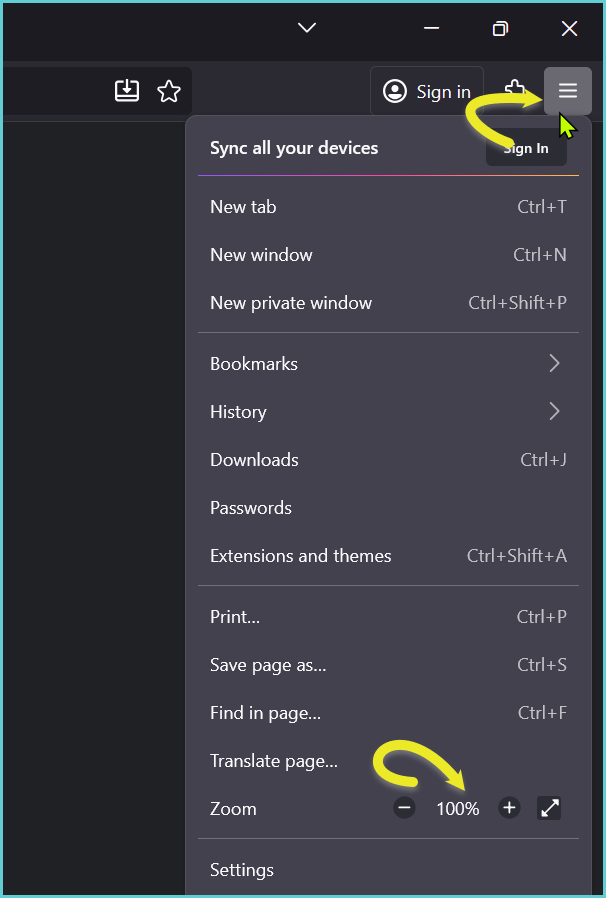
Please let me know if the issue was resolved. I’m standing by.
